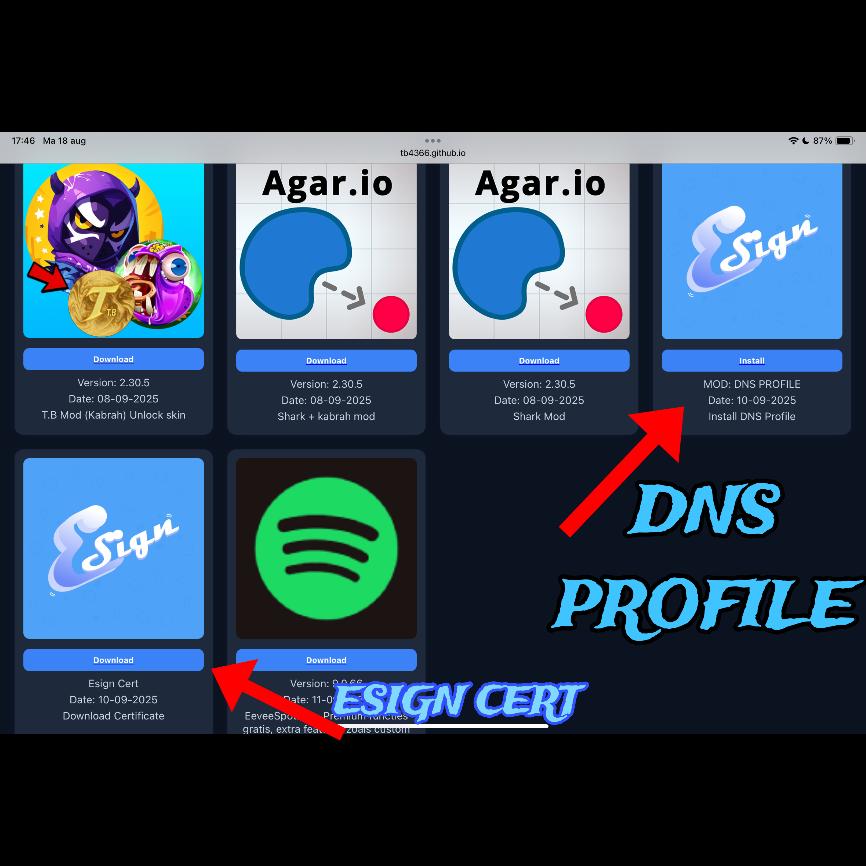
Step 1
First, install the DNS profile and download the esign cert.
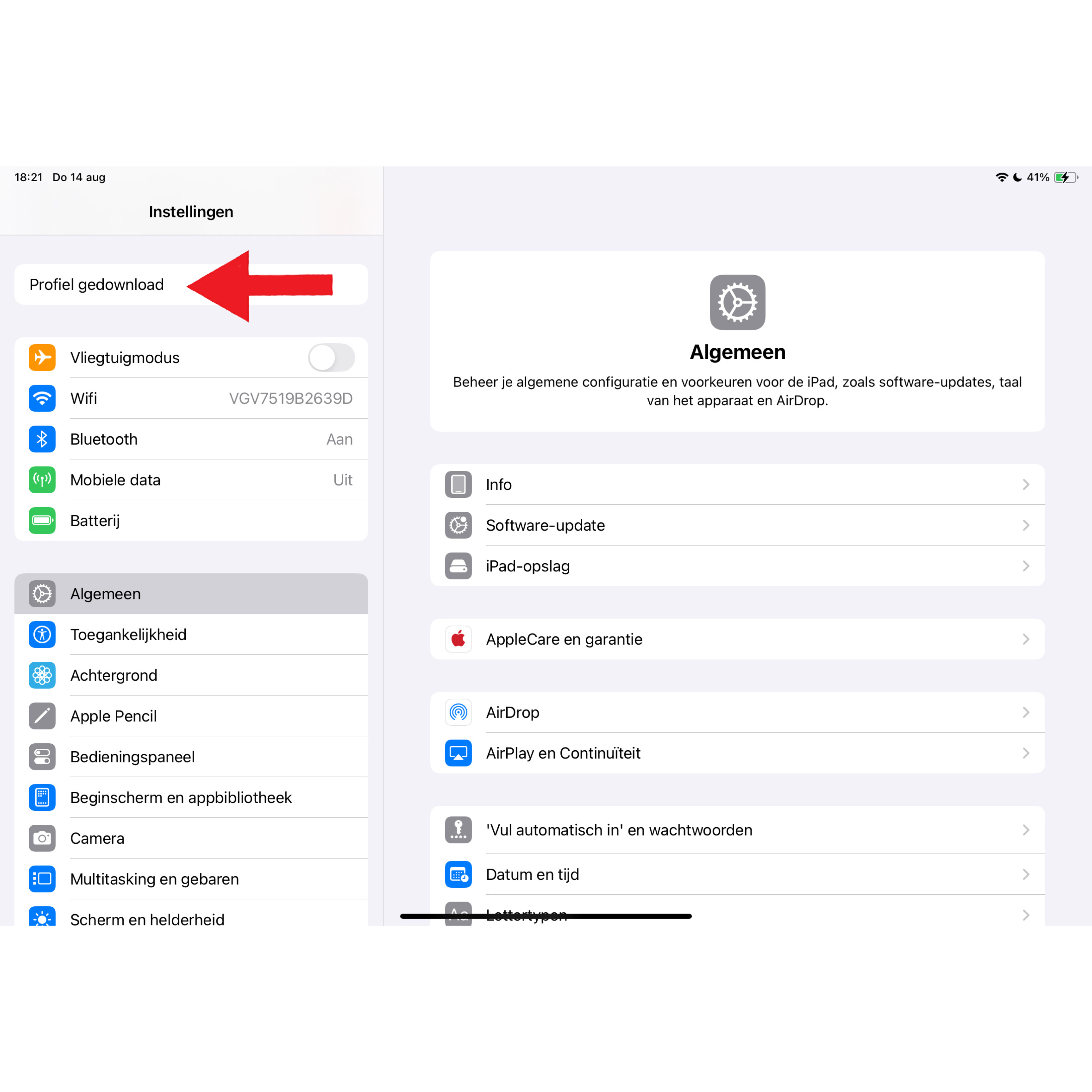
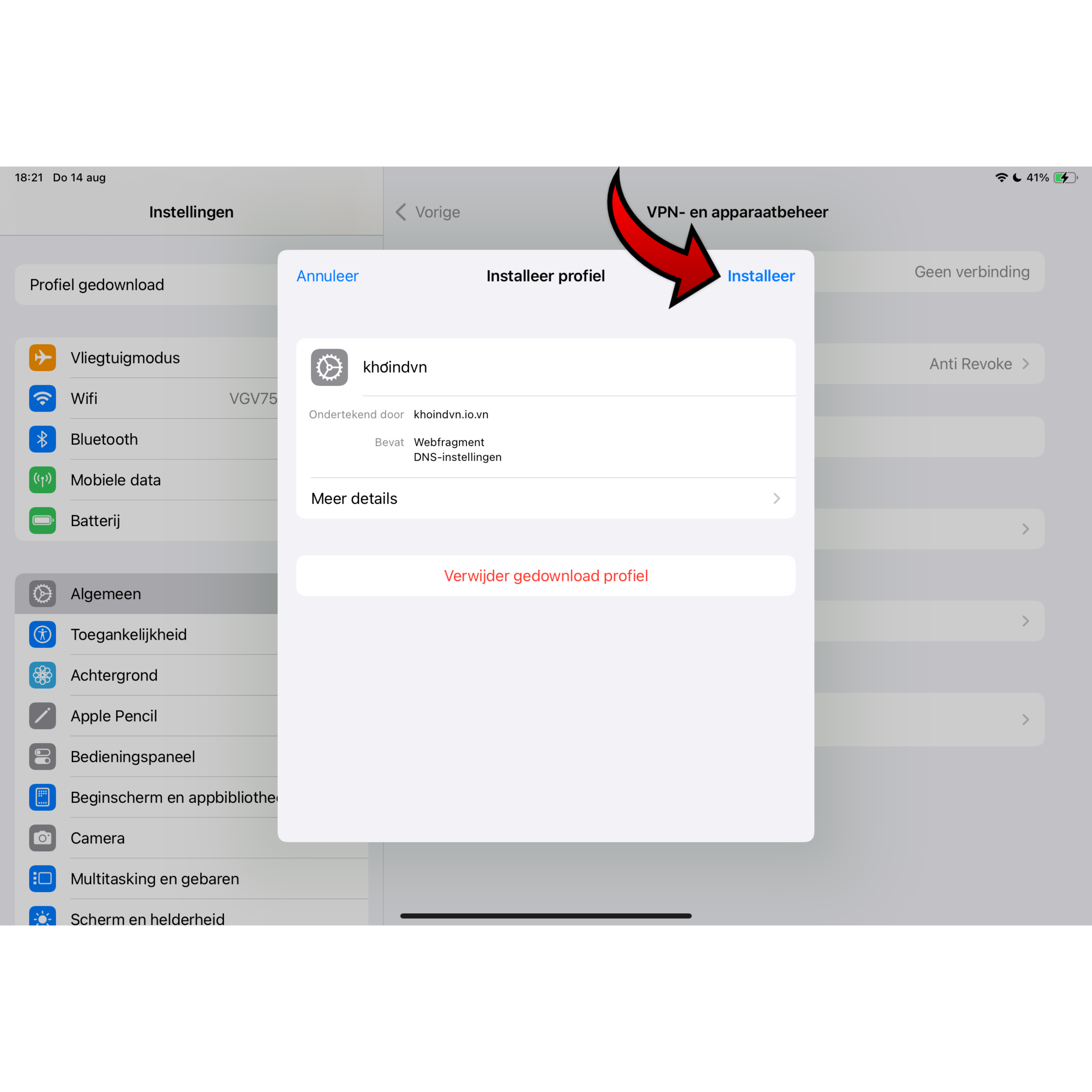
Step 2
Go to your settings and click on "download profile" then click on install.
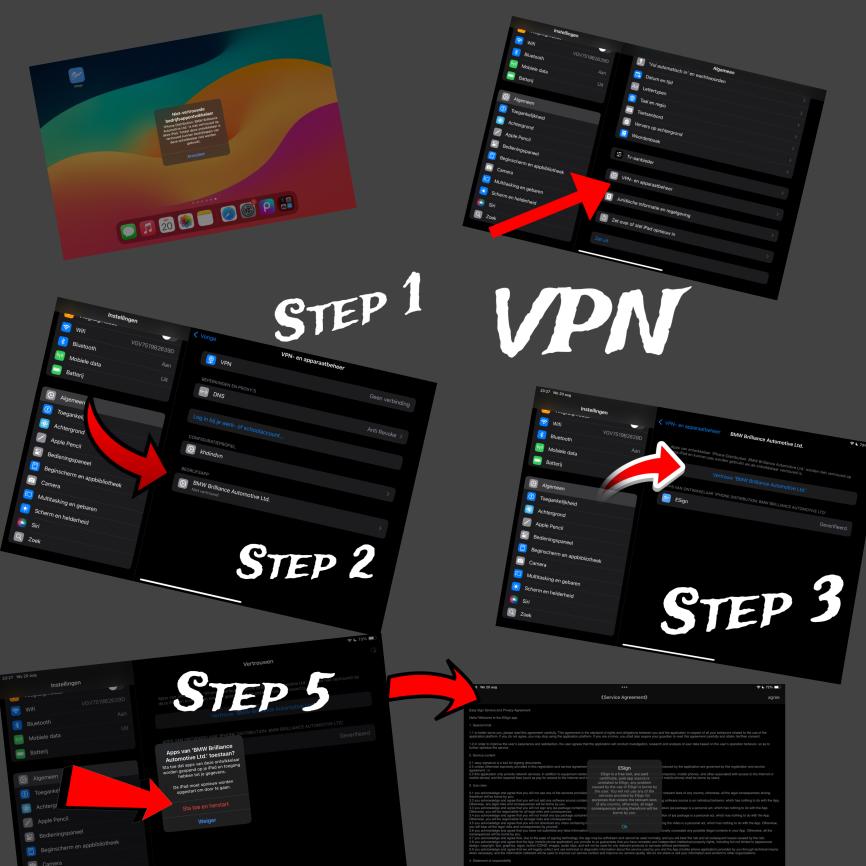
Step 3
Go to your VPN and click "Install." You'll then have to reset your iPhone. It's not dangerous! It's trusted.Trust it, and then you can open the app..
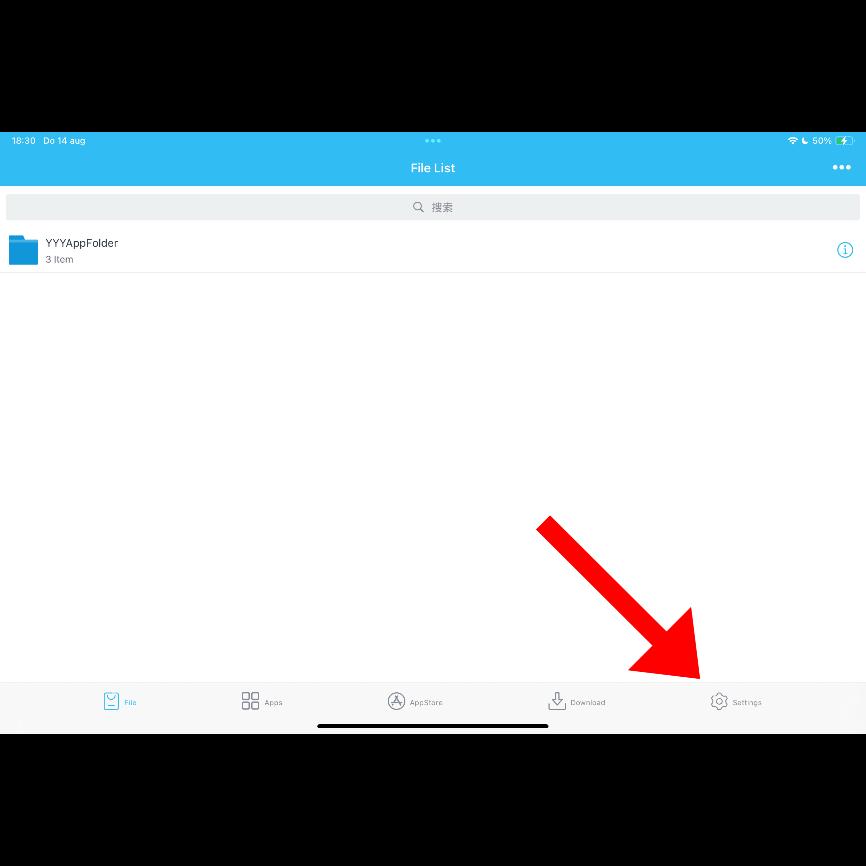
Step 1
go to the settings.
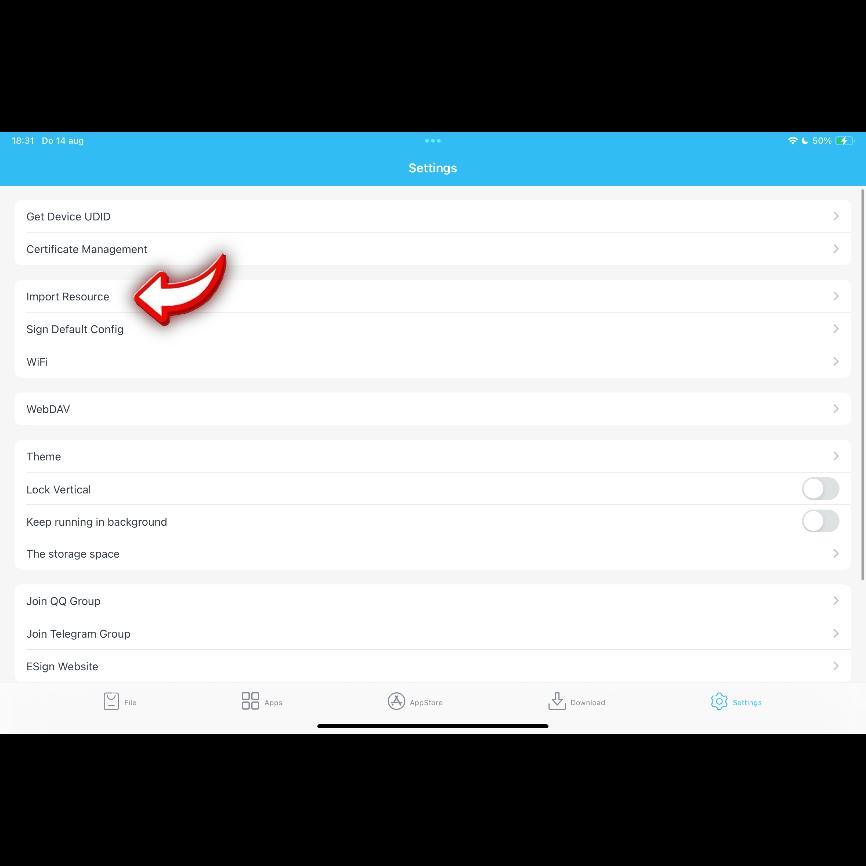
Step 2
Then click on Import Resource.
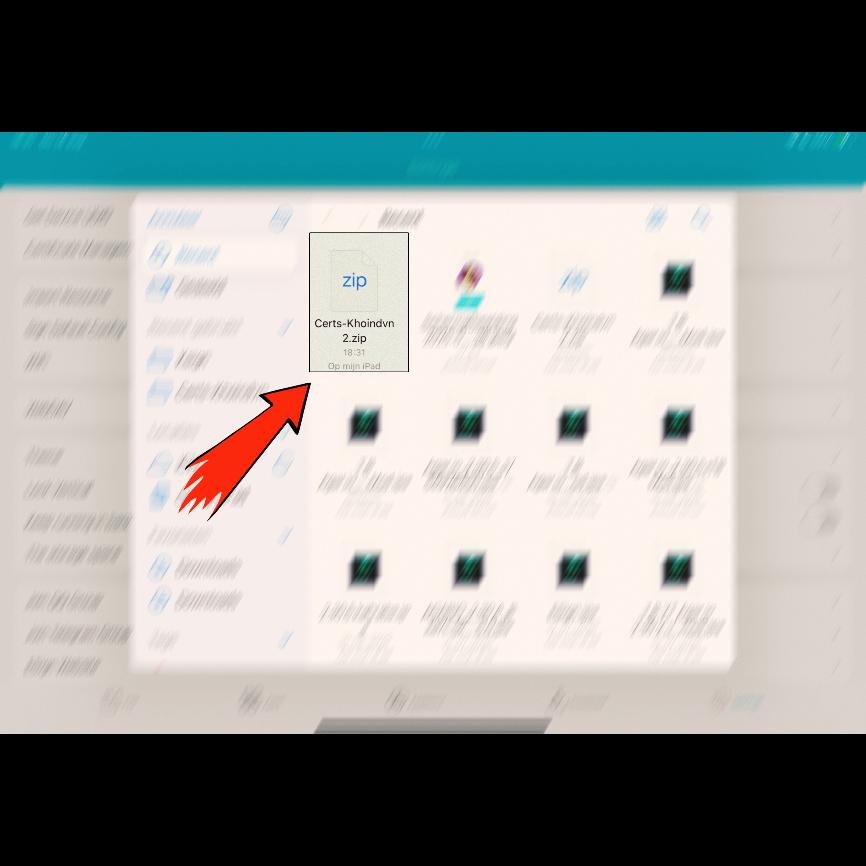
Step 3
Now select the: "Cert KhoinDVN" in your files.
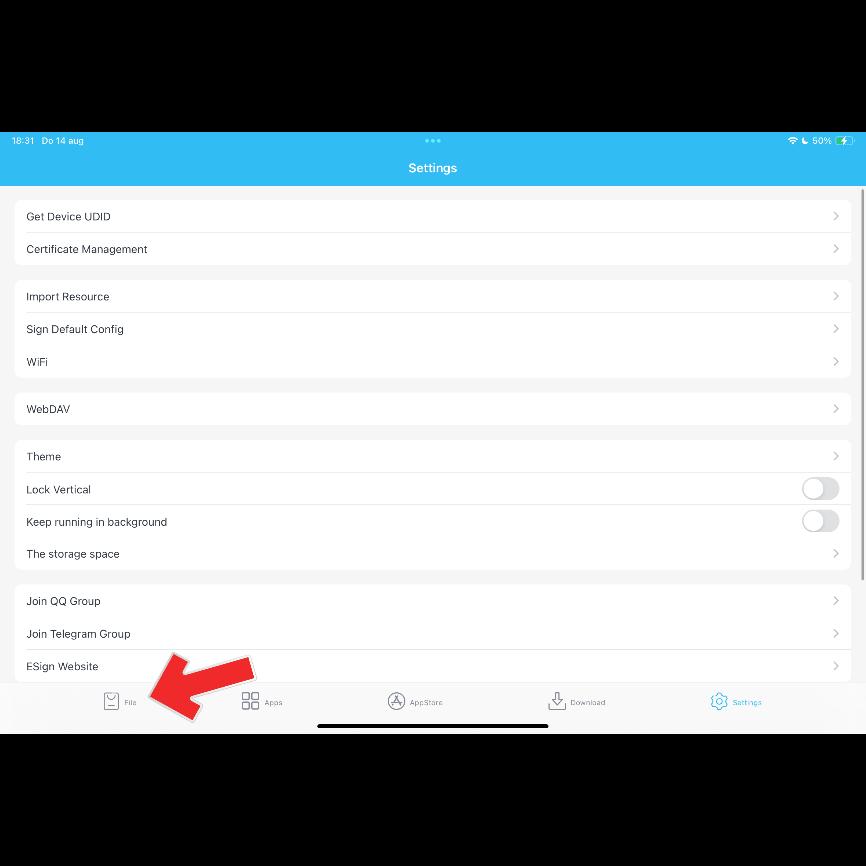
Step 4
Go back to File.
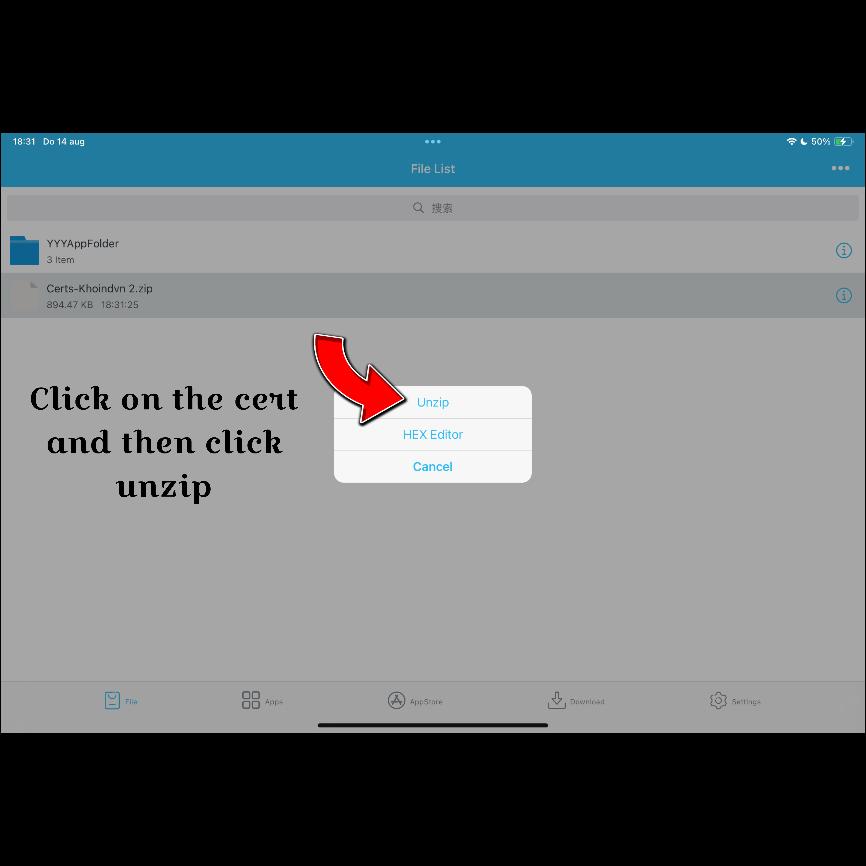
Step 5
Click on the: Cert KhoinDVN And then click on Unzip.
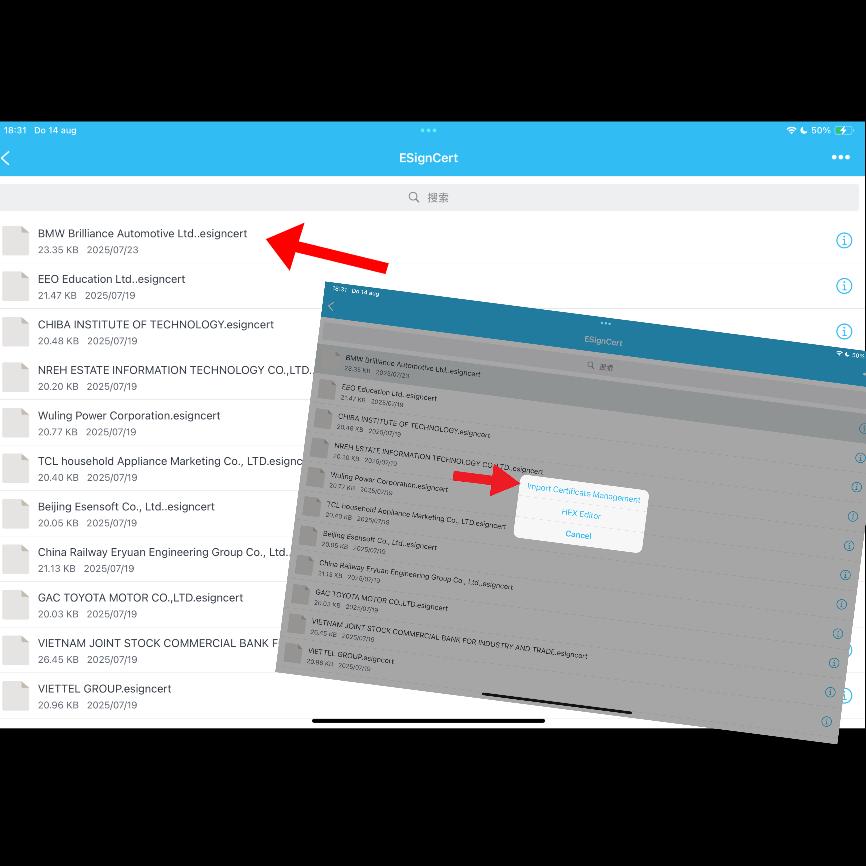
Step 6
Click on the top "BMW Brilliance Automotive Esign Cert." Then click on: Import Certificate Management.
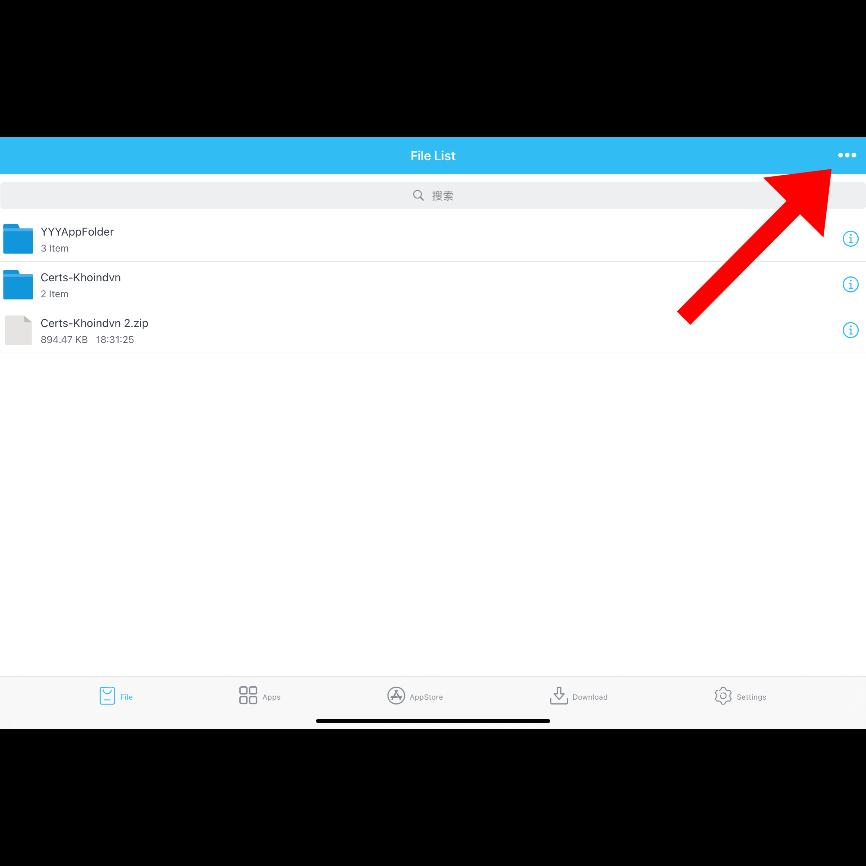
Step 1
click on the three dots at the top right.
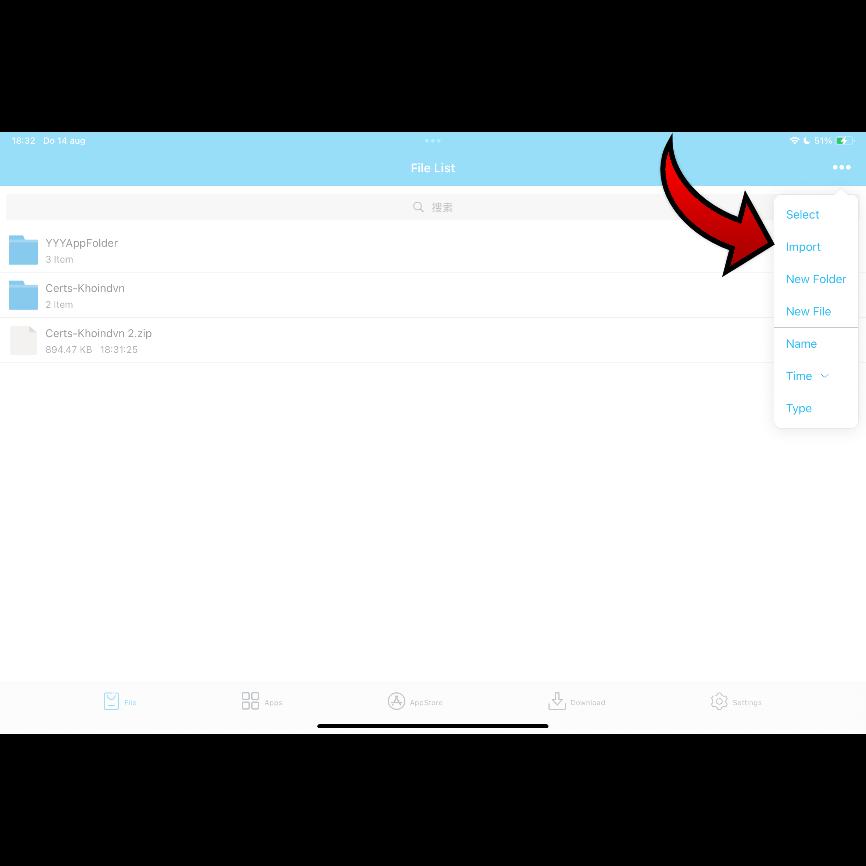
Step 2
click on import.
Step 3
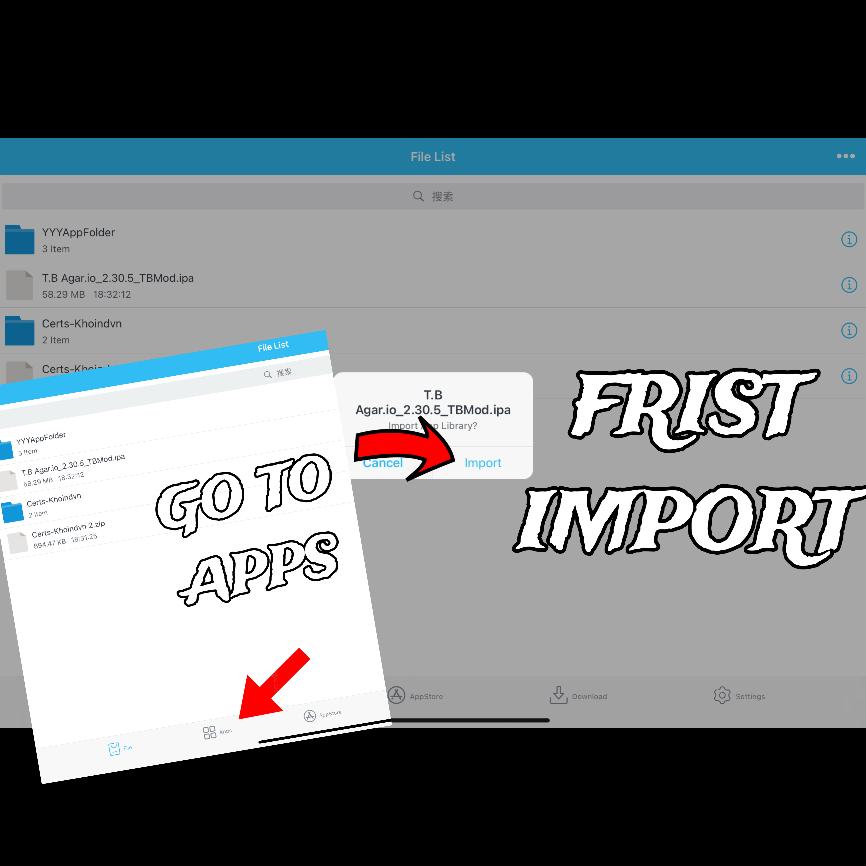
choose your mod and click on it and then click again to import then go to apps.
Step 4
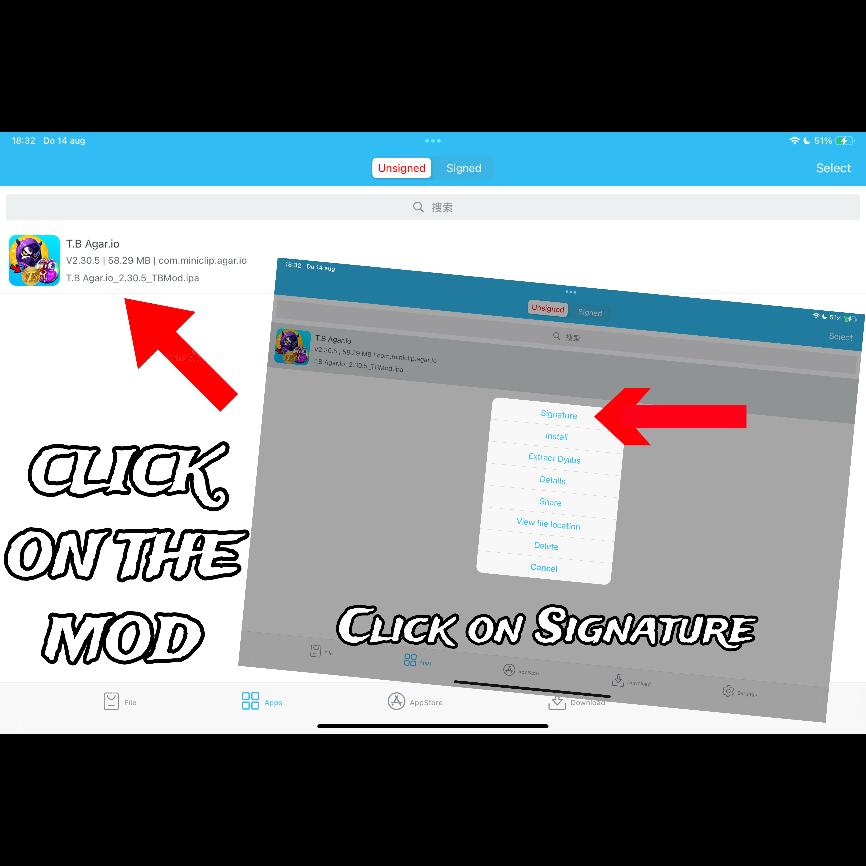
Click on the mod and then click on "Signature".
Step 5
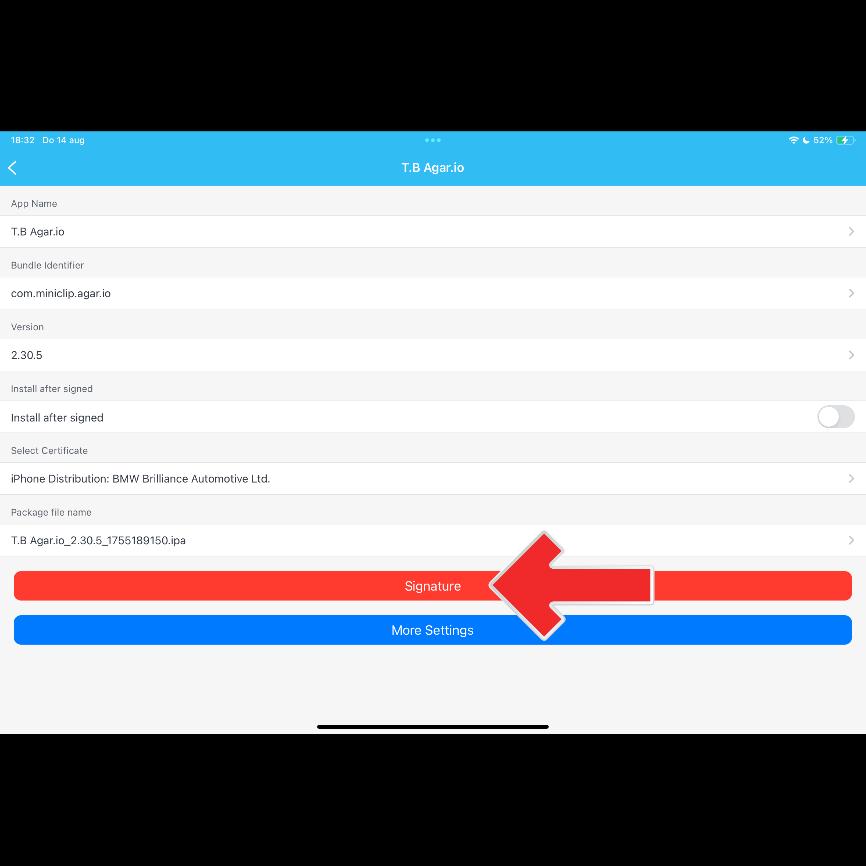
Click on "Signature" again.
Step 6
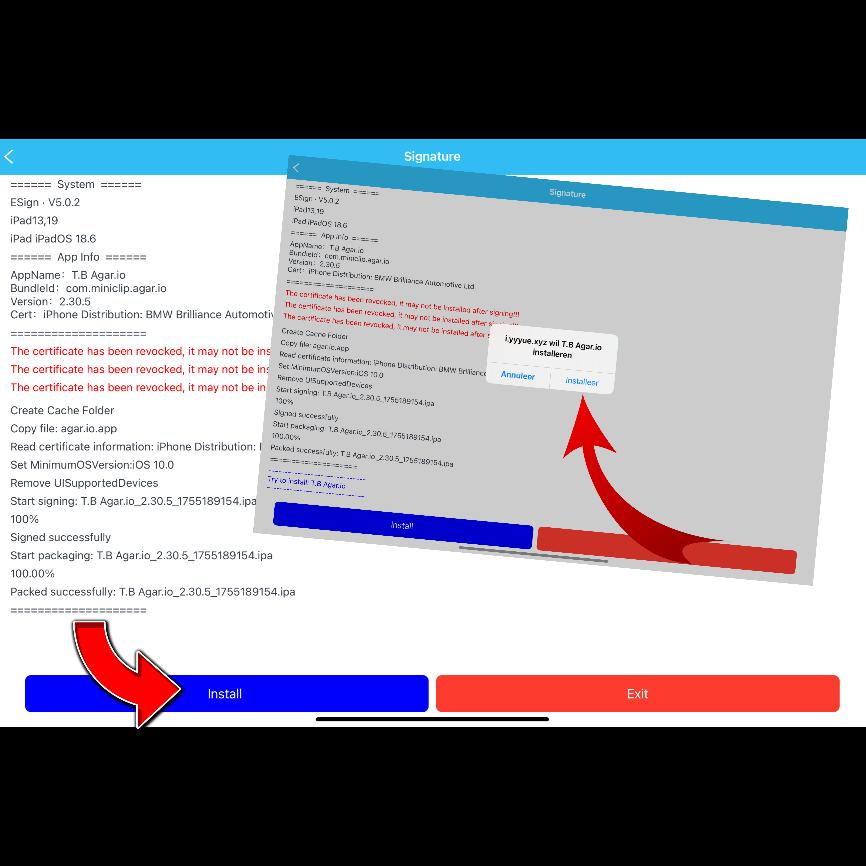
Click Install Now and then you can open the mod.